Product Documentation
Product Documentation
Product Documentation
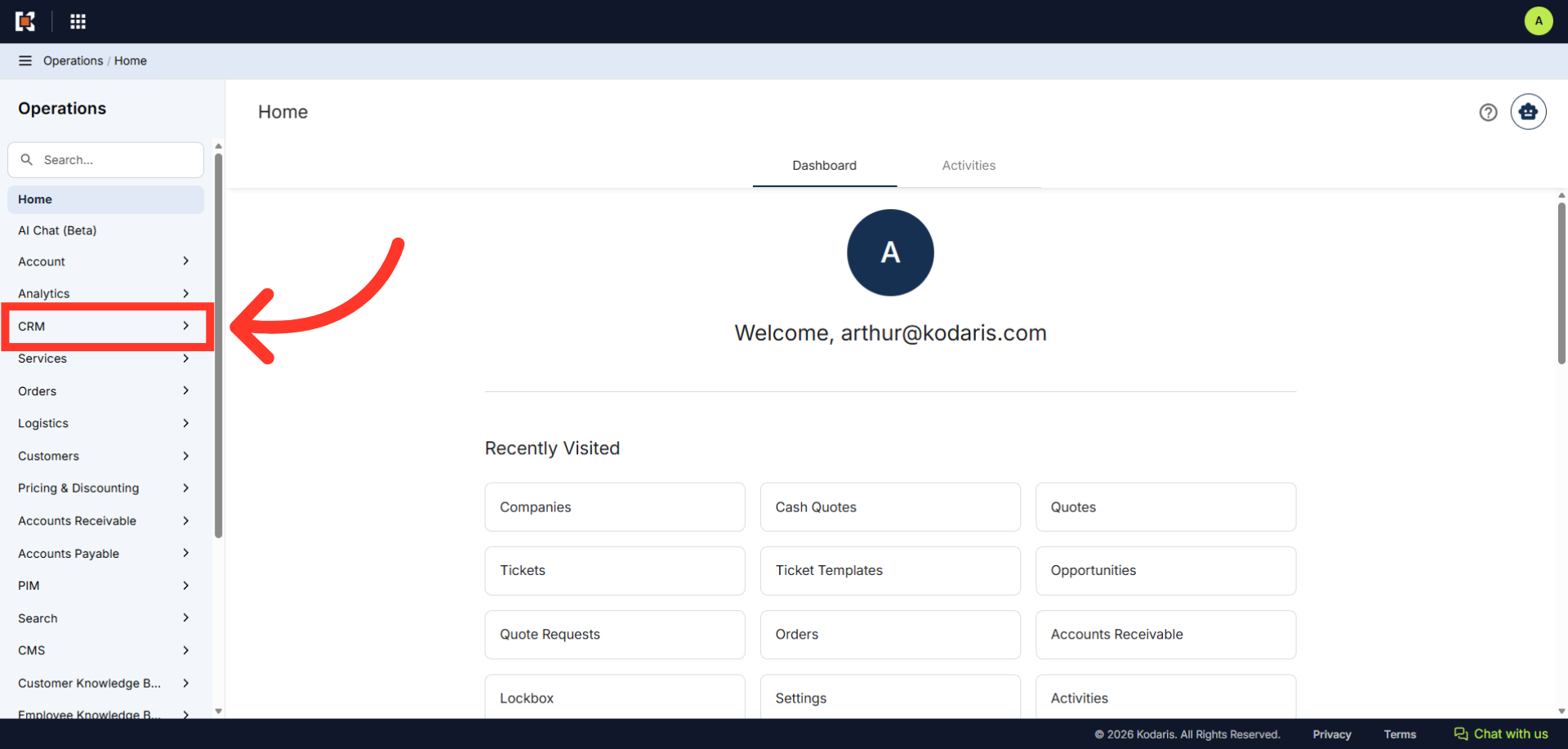
To copy an existing cash quote, navigate to the "CRM" section in the Operations Portal.
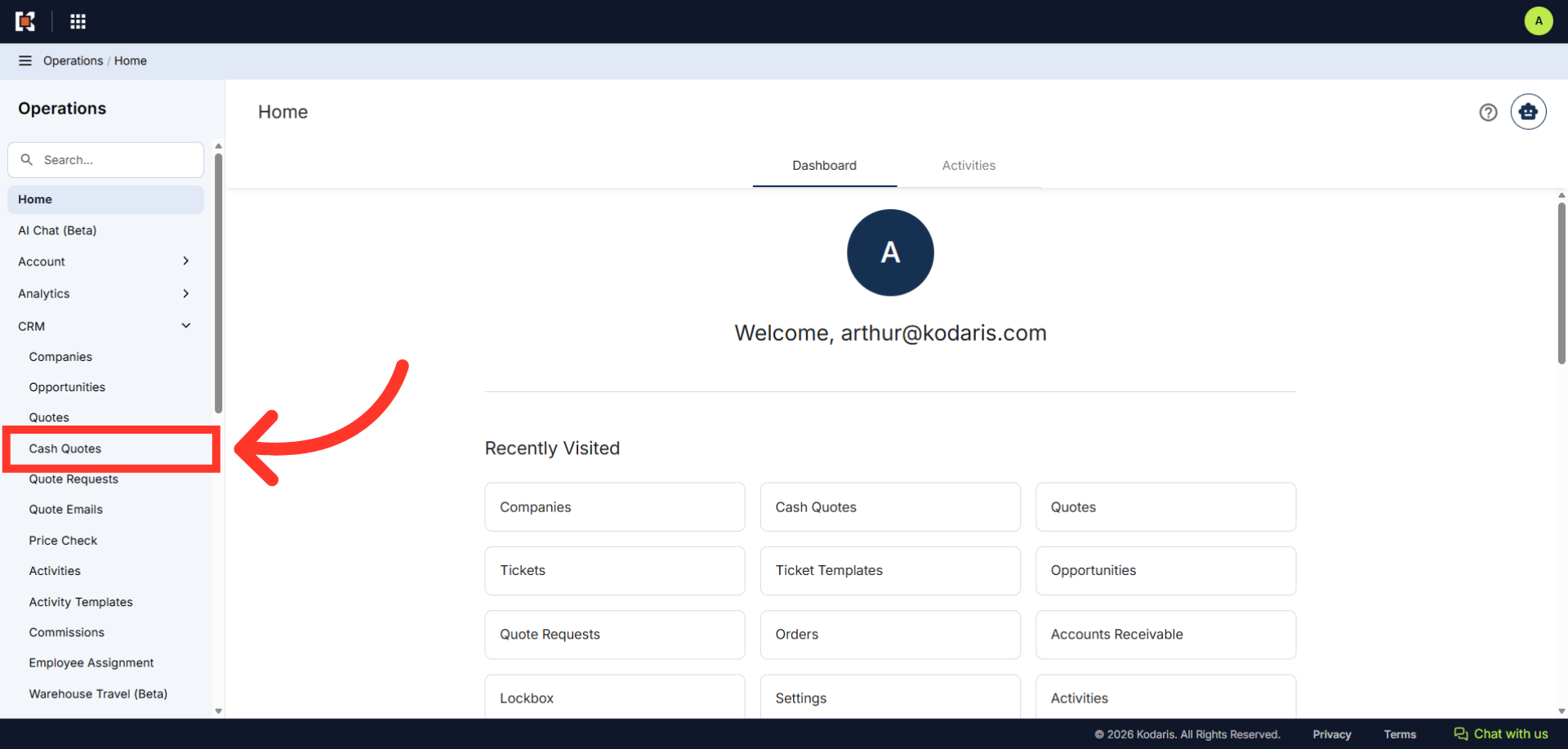
Then, click "Cash Quotes". In order to access Cash Quotes, you will need to have the role of "administrator" or "superuser", or have the roles of "quoteEdit" and "accountQuoting".
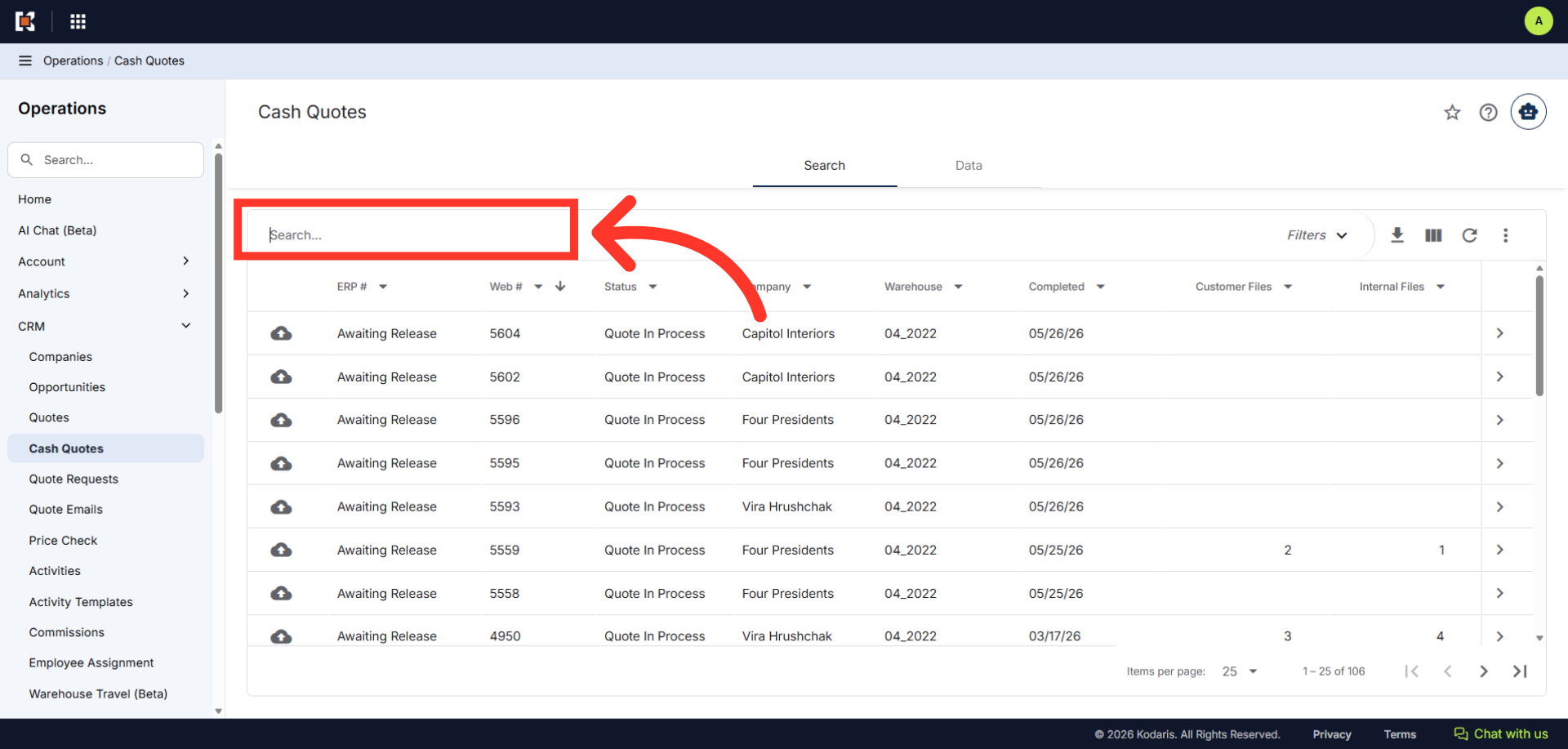
Enter the cash quote number you would like to copy in the "Search..." field.
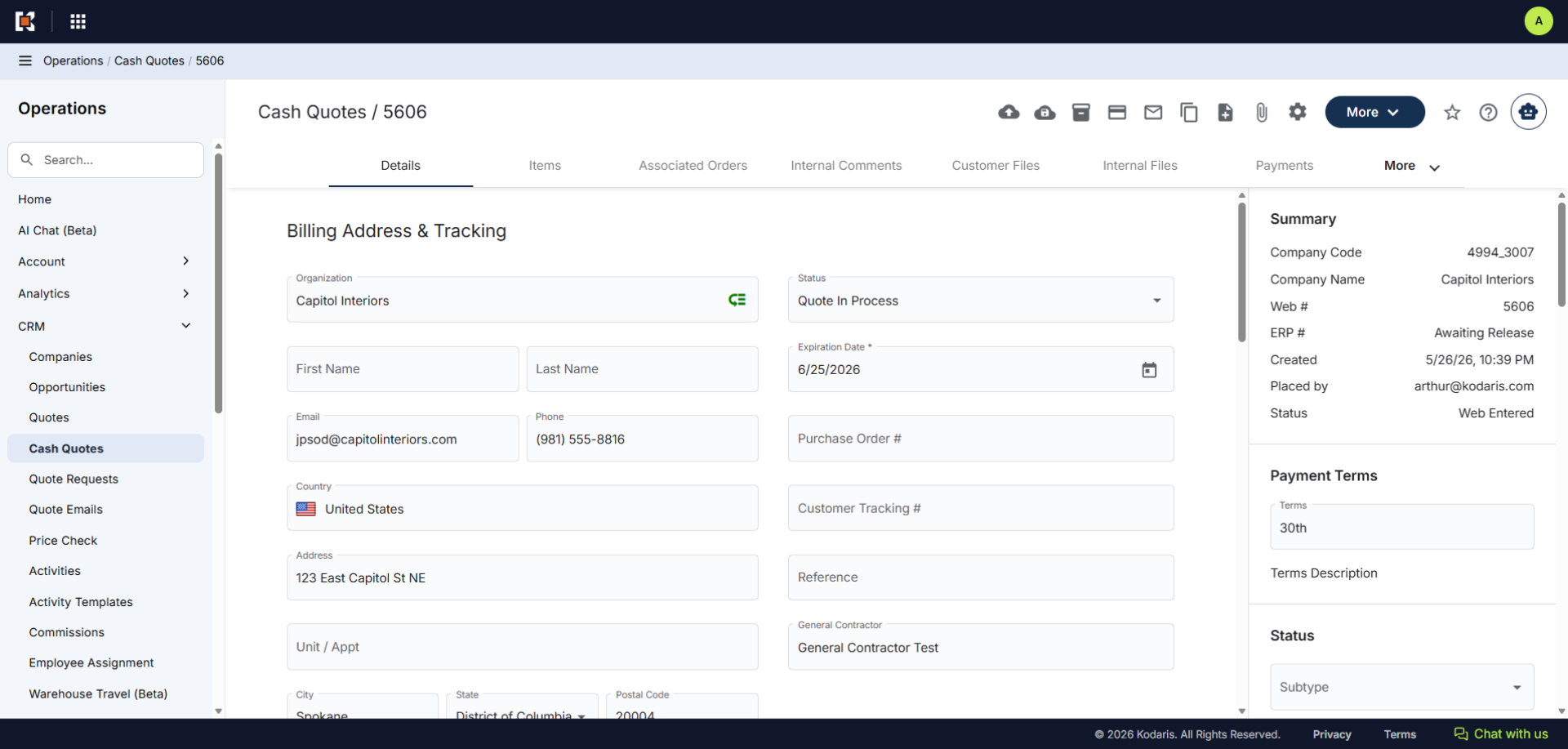
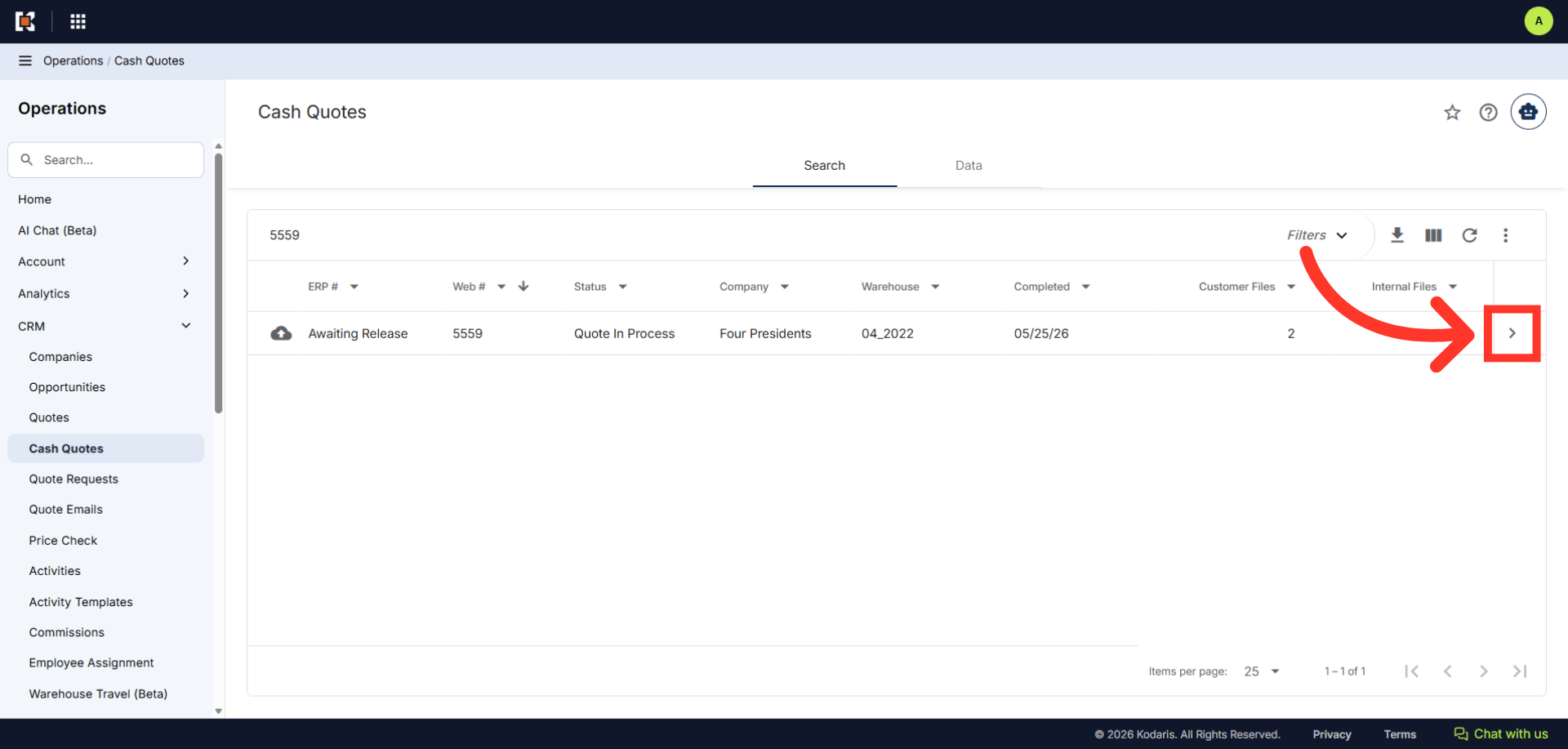
Then, click on the more details icon to open cash quote details screen.
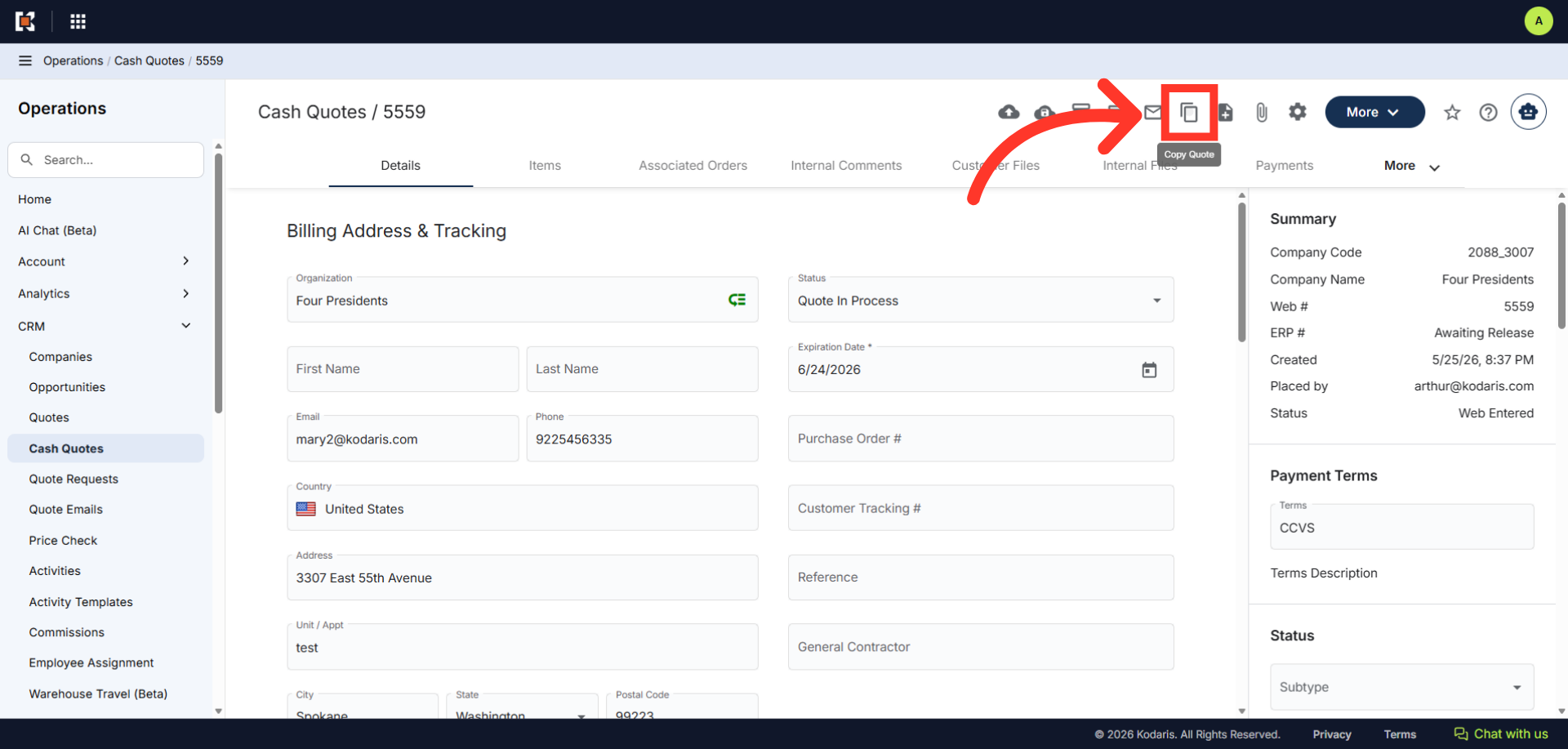
Click the "Copy Quote" icon.
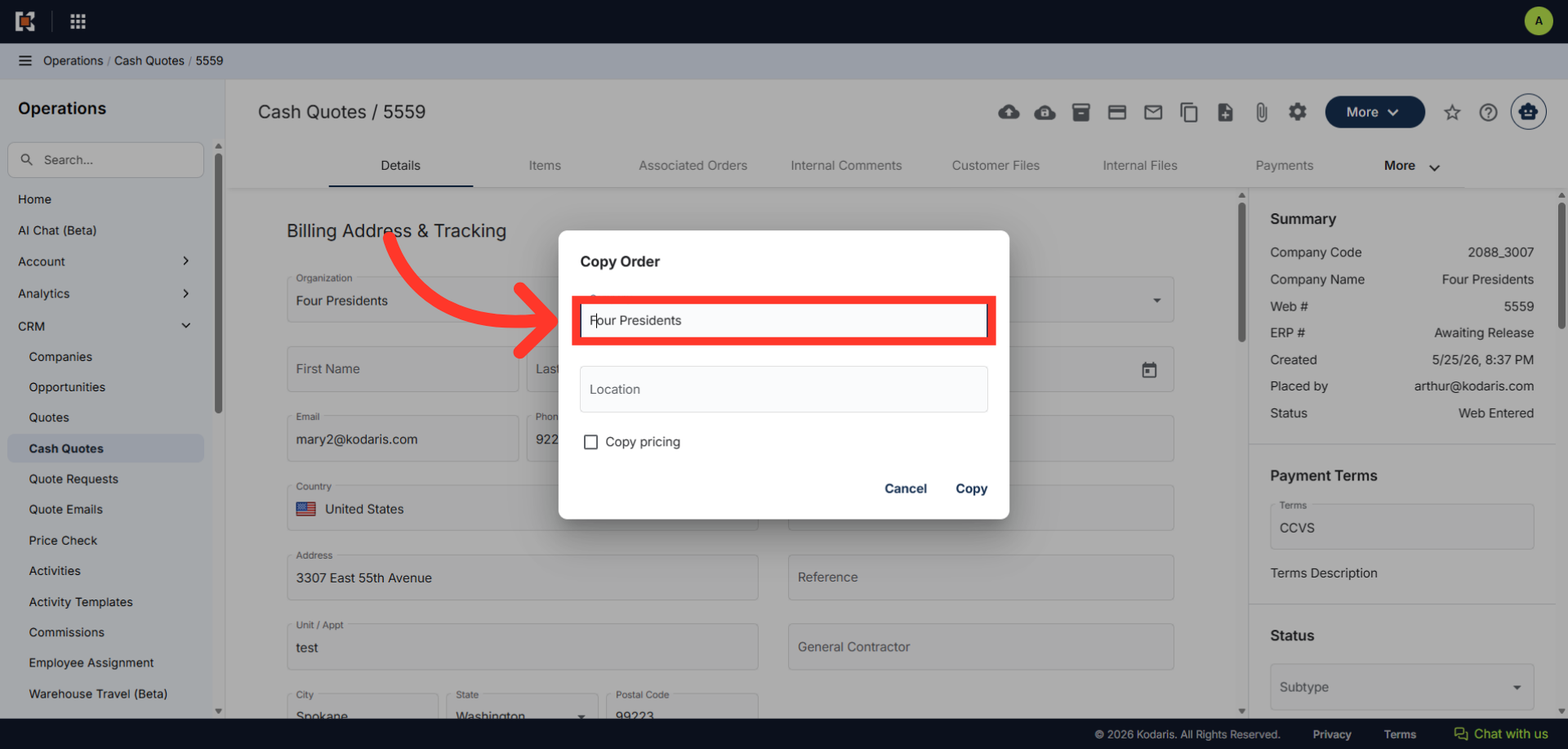
The "Copy Quote" dialog box will appear. The default company is already selected. You can choose to keep the same company or account.
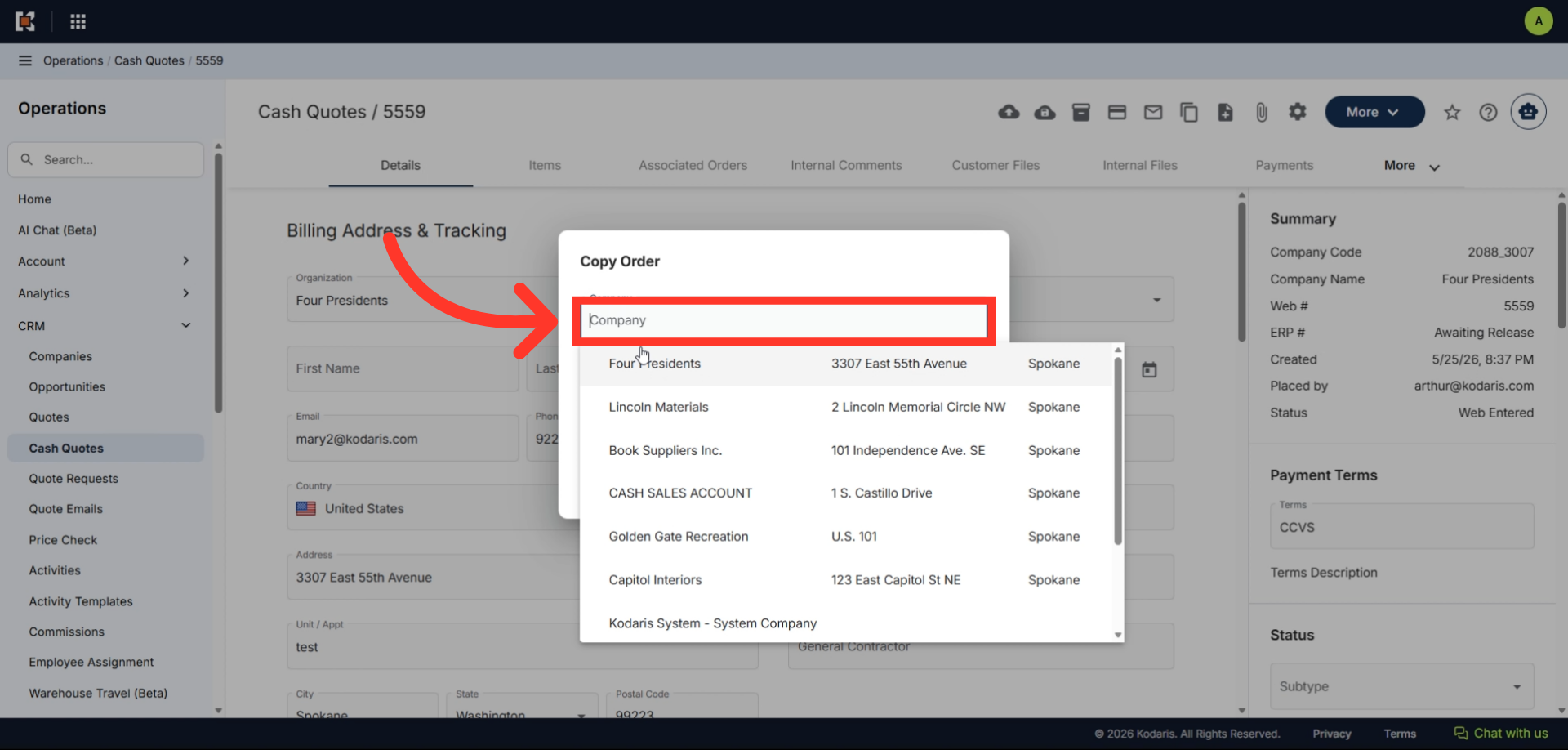
Or, clear the "Company" field and enter a new account name or number.
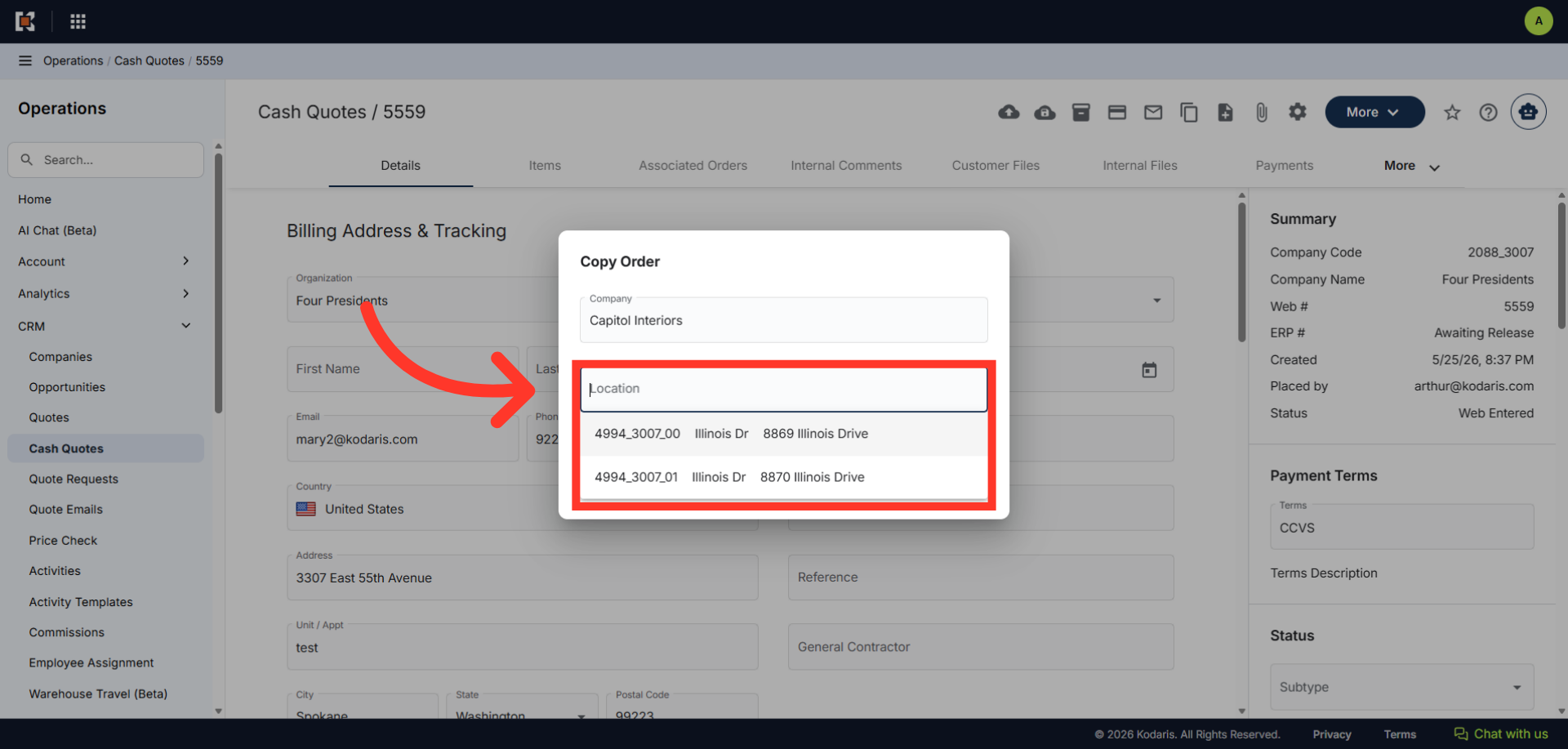
You can also choose a company location.
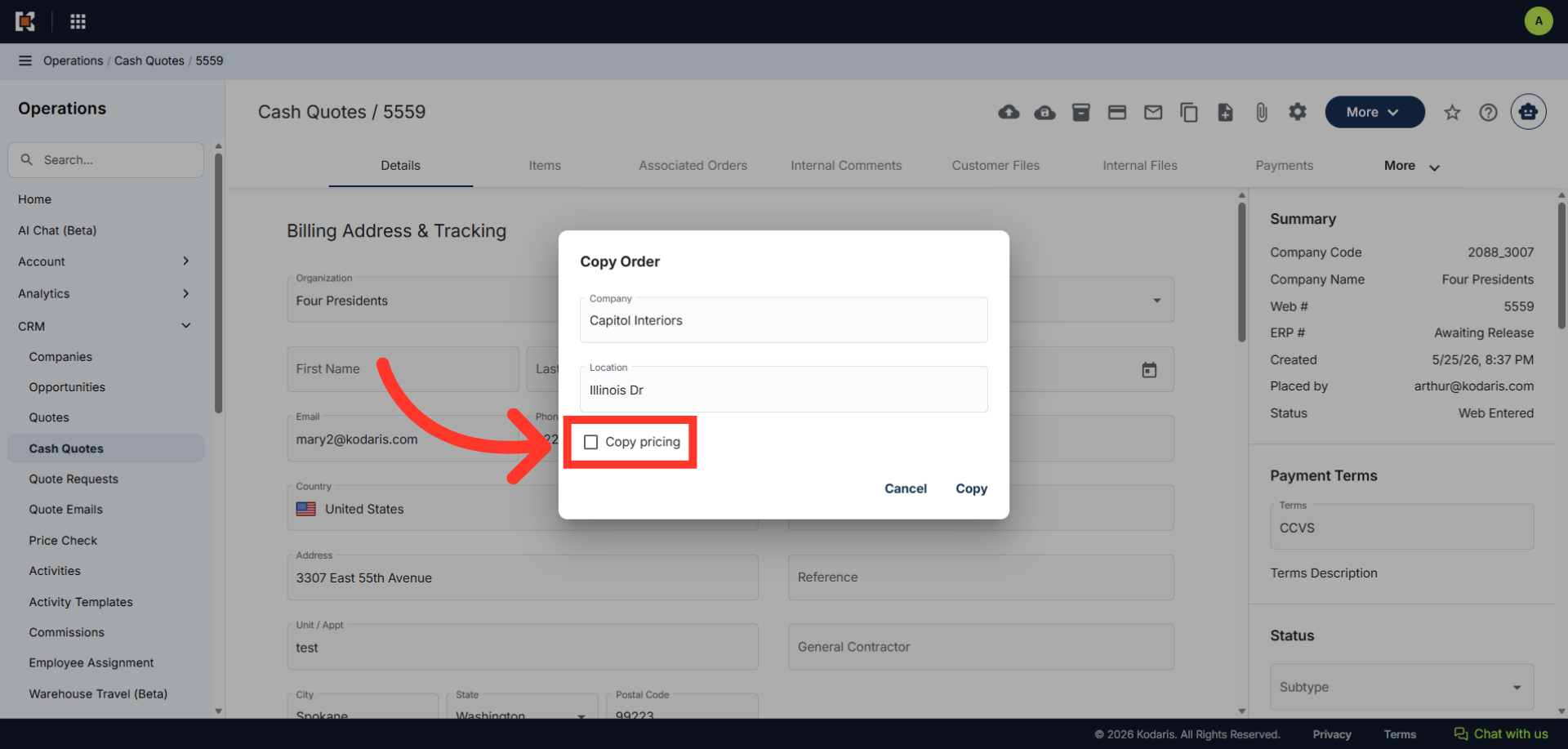
Click the checkbox to copy the pricing.
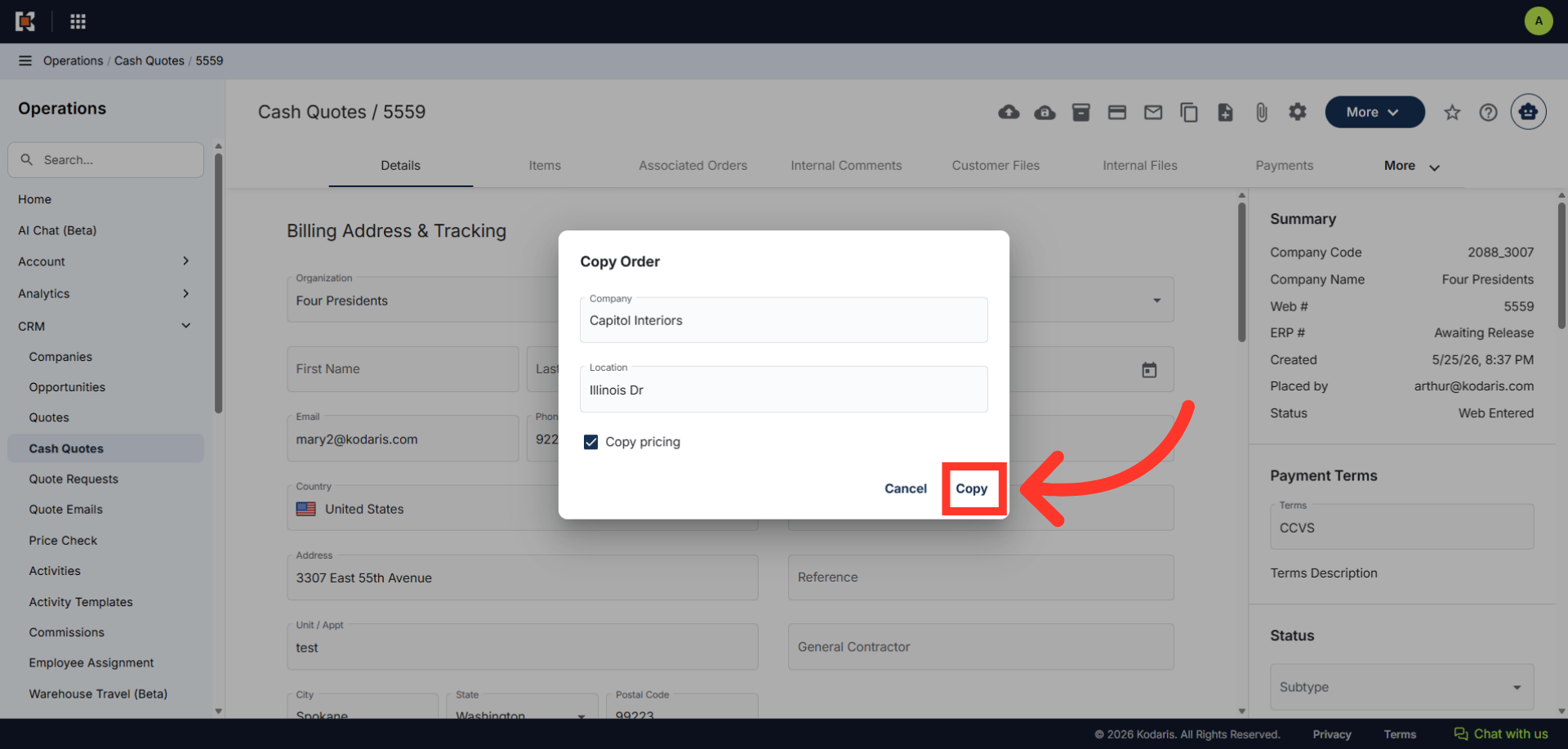
Once everything is set, click "Copy".
The copied cash quote will appear as a new cash quote that you can then edit and customize the details as needed. Note: you can copy cash quotes that have already been released to ERP.