Product Documentation
Product Documentation
Product Documentation
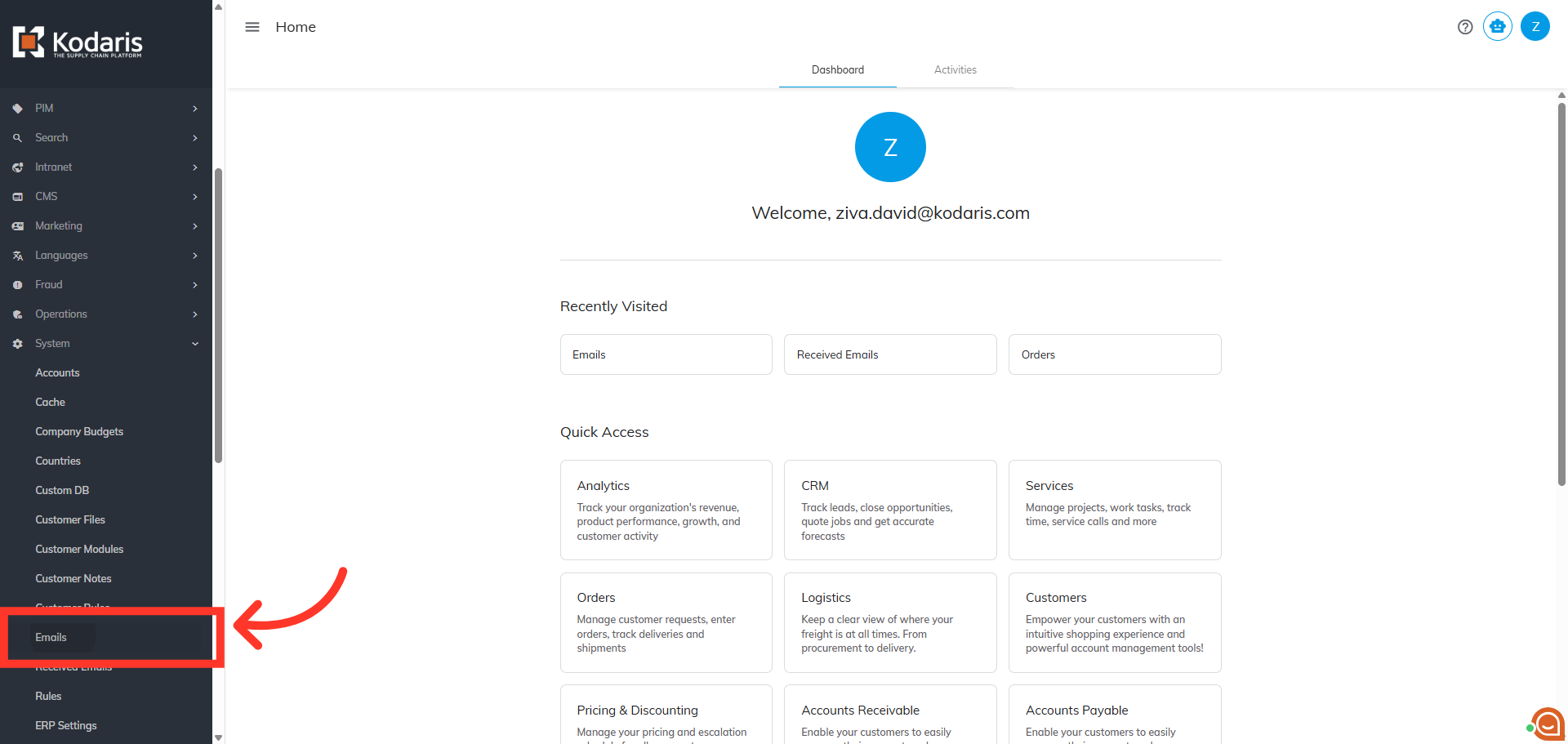
Navigate to "System" in the Operations Portal.

Then, click "Emails". In order to access and update “Emails” you will need to be set up as an “administrator” or “superuser” or have the roles of: “emailView” and “emailEdit”.
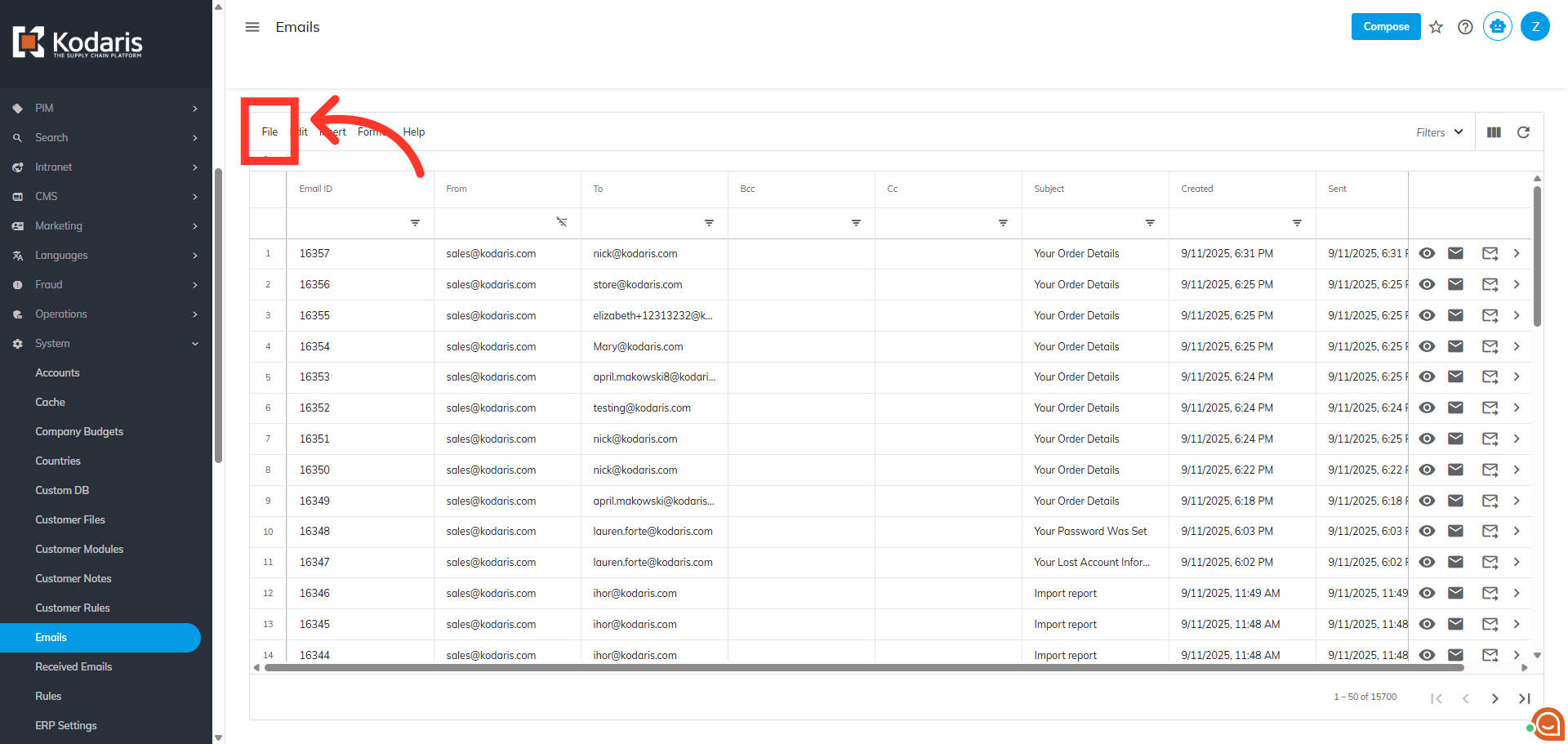
Click "File".
Click "Export".

In the "Save As" dialog box, you can rename your file, if needed.

Lastly, click "Save" to initiate the export.

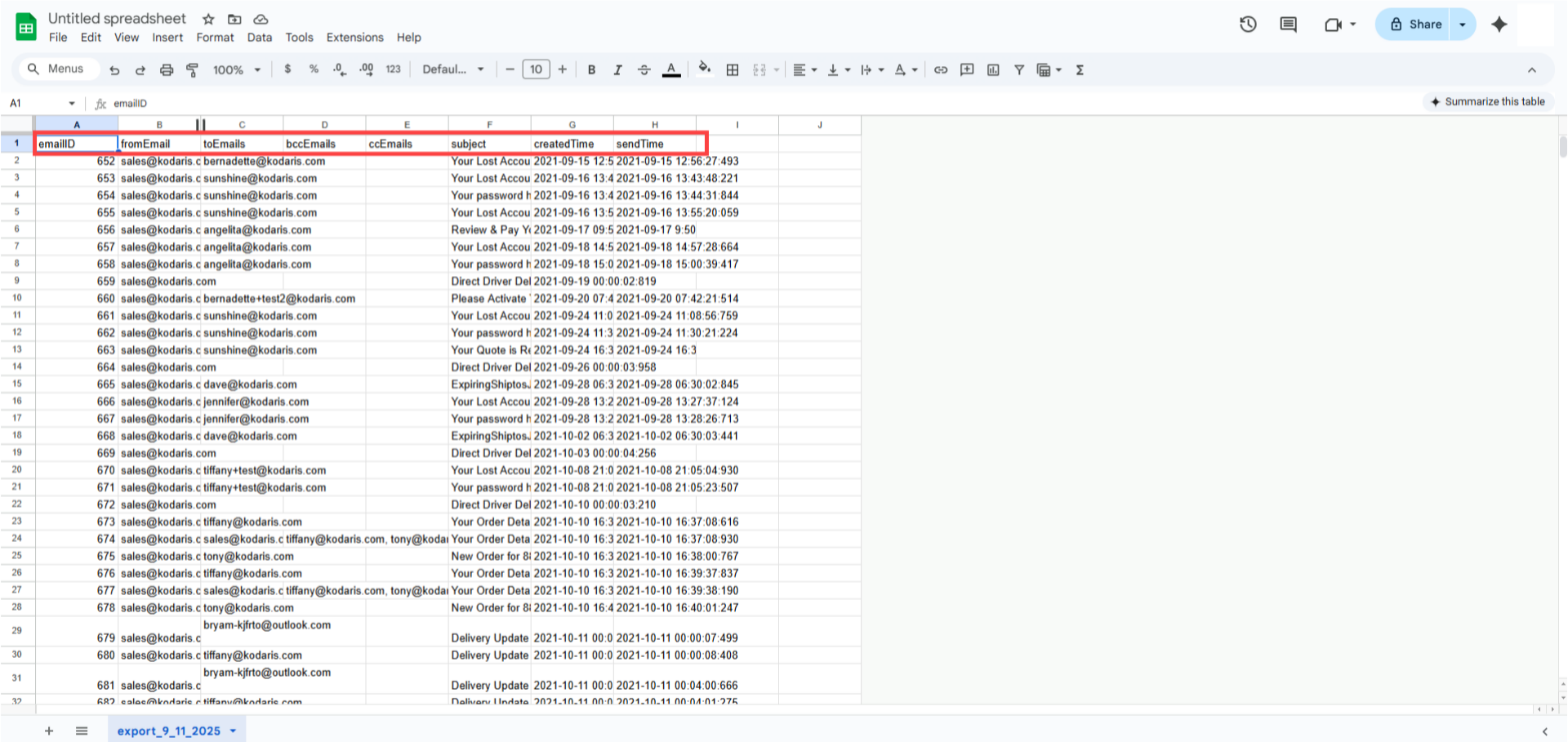
Open the exported file and you will find the email record from the Operations Portal.