Product Documentation
Product Documentation
Product Documentation
When using Kodaris Commerce for your company’s website, your customers have the ability to create and search by their own product codes. This allows for a seamless online shopping experience that can be personalized per customer.
When customers are logged into their account on your website, they can manually add their own product codes in just a few clicks. Product codes can be a series of letters and/or numbers and completely unique to each customer. This means that your customers can set their product codes to whatever works best based on their business processes and operations.
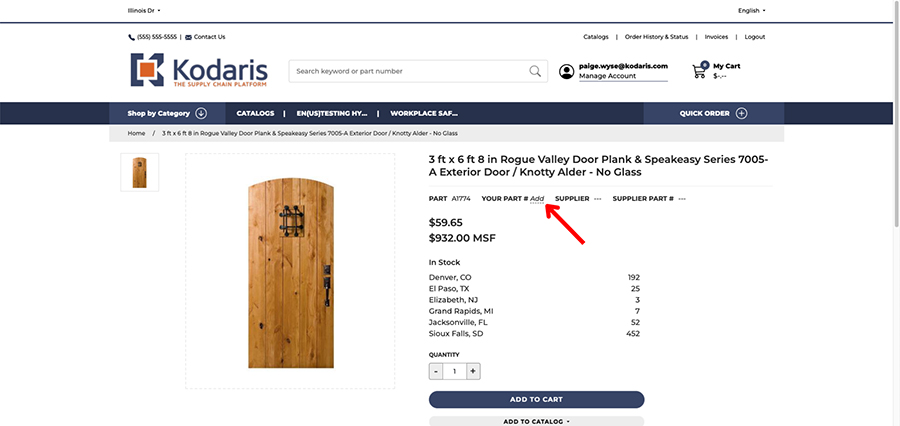


Once product codes are set, the new codes will display on individual product pages, in search results, in the shopping cart, on the order confirmation page after placing an order, and on the order PDF. Not only will the custom code appear, but it will also be displayed alongside the original website product code for reference.
The custom codes will also be displayed in the Customer Portal under an order’s details page.

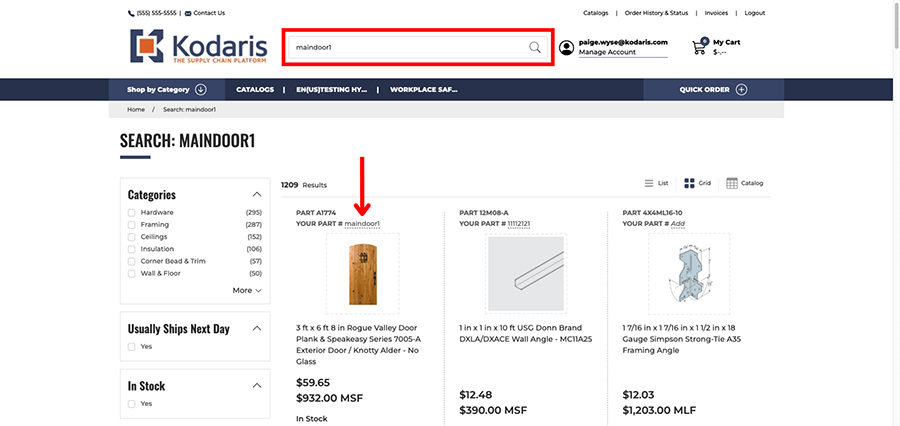
To create an even more user-friendly product search experience for your customers, you have the ability to enable a search rule that allows logged-in users to search by their custom product codes when browsing your website. Once this rule is enabled, your customers can type their unique code into your website’s search bar to locate their specific product.
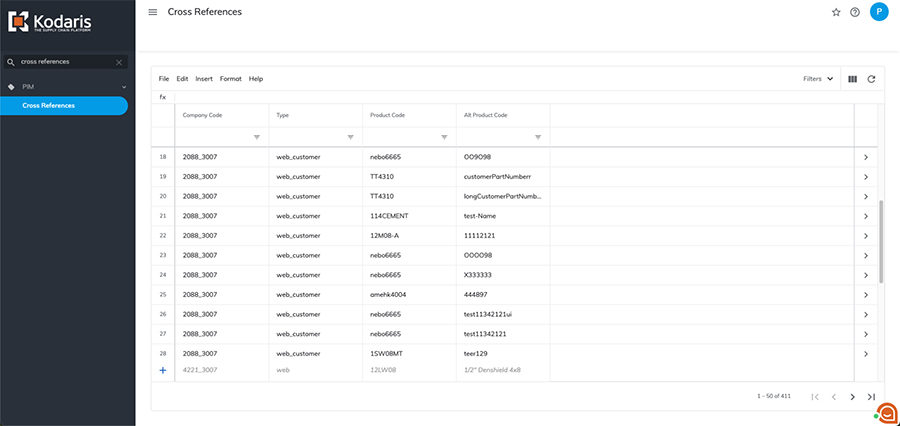
While your customers can create and edit their own product codes, you also have the ability to manage product codes per customer in the Operations Portal. On the “Cross References” screen, you can view, edit, create, and delete product codes on behalf of all your customer accounts. Import options on this screen allow you to easily mass manage these codes as well.
If you have data in your ERP, you can also bypass the manual process and sync your customer product codes to the “Cross References” screen to help manage codes for customers.