 Product Documentation
Product Documentation
Product Documentation
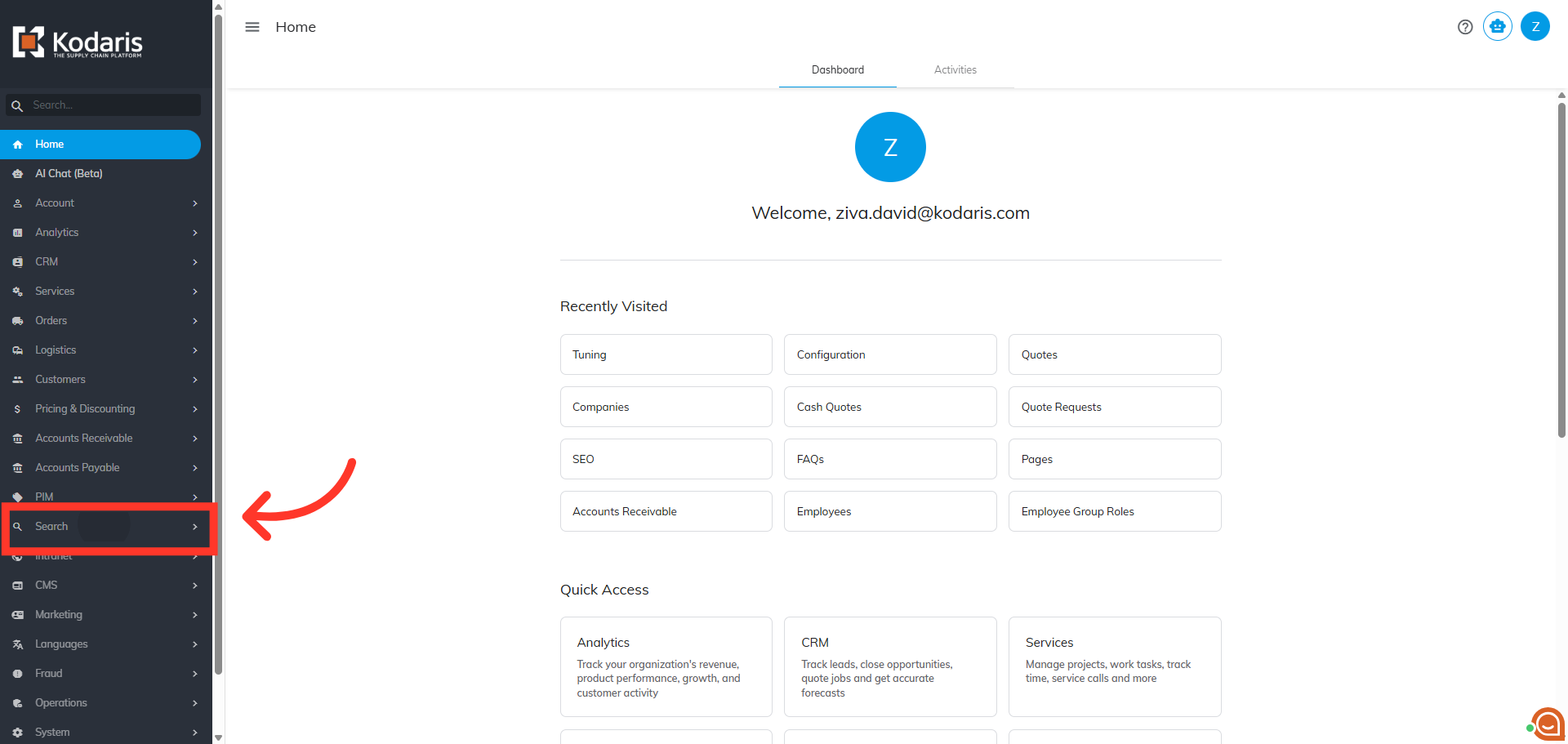
To export "Search Rules", navigate to "Search" in the Operations Portal.
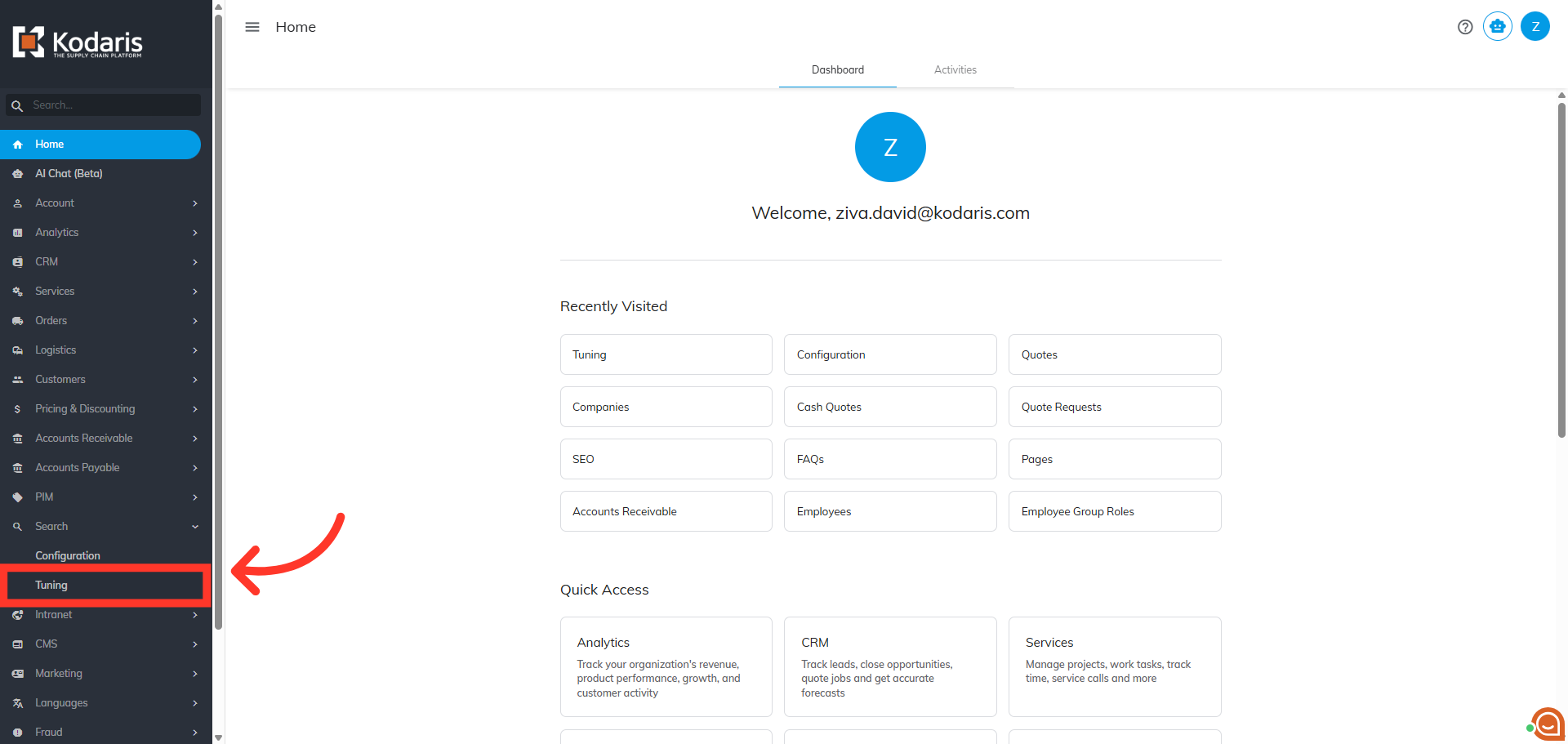
Then, click "Tuning". To access and update "Tuning", you will need to be set up as an "administrator" or "superuser" or have the roles of: "searchRuleView" and "searchRuleEdit".
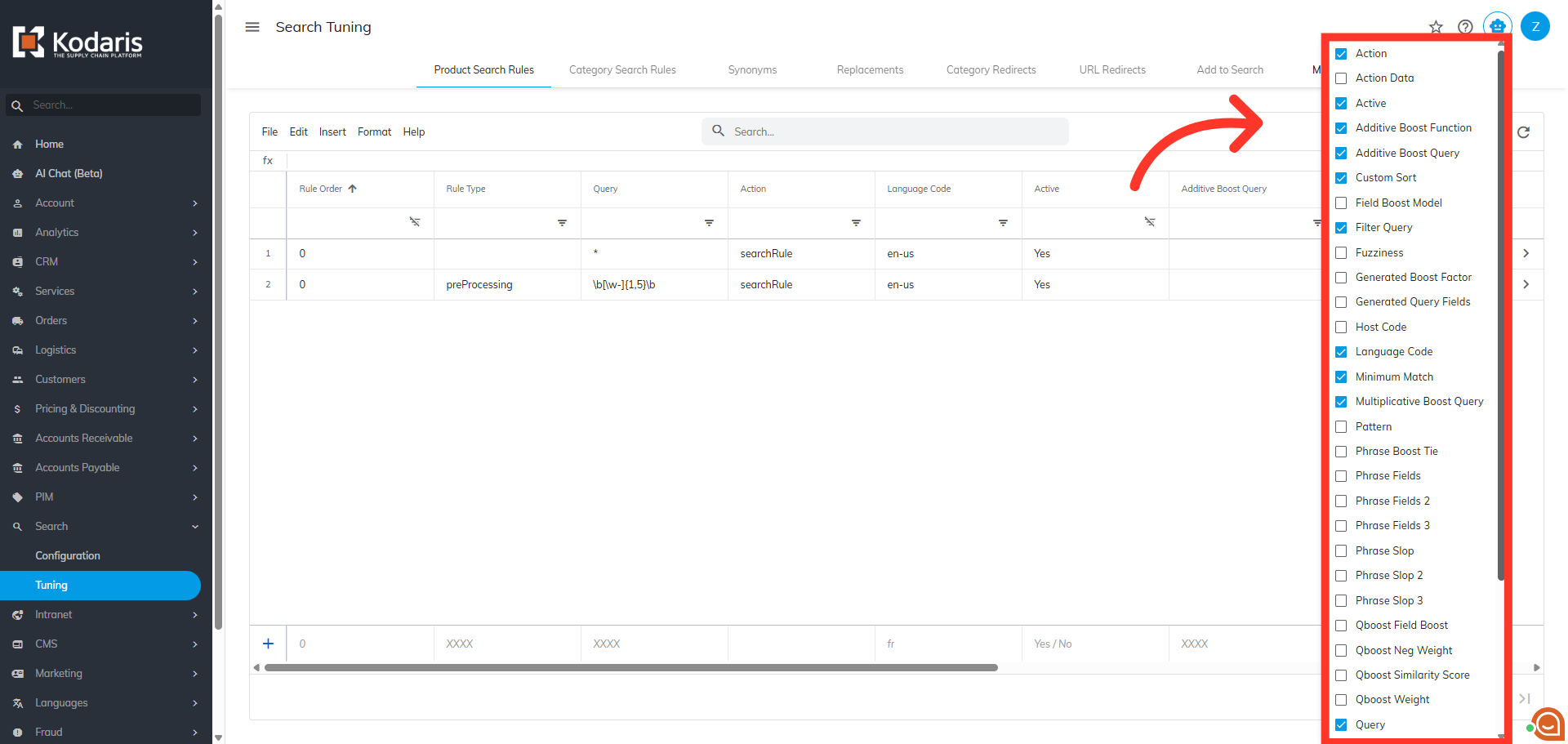
By default, you are redirected to the "Product Search Rules" tab. Here, click the "Show/Hide Columns" icon to customize which columns are displayed for tuning details.

Select any columns you would like to add to the grid to export. To use the export for updating data when importing, the "Code" data is required and is automatically included in your export.
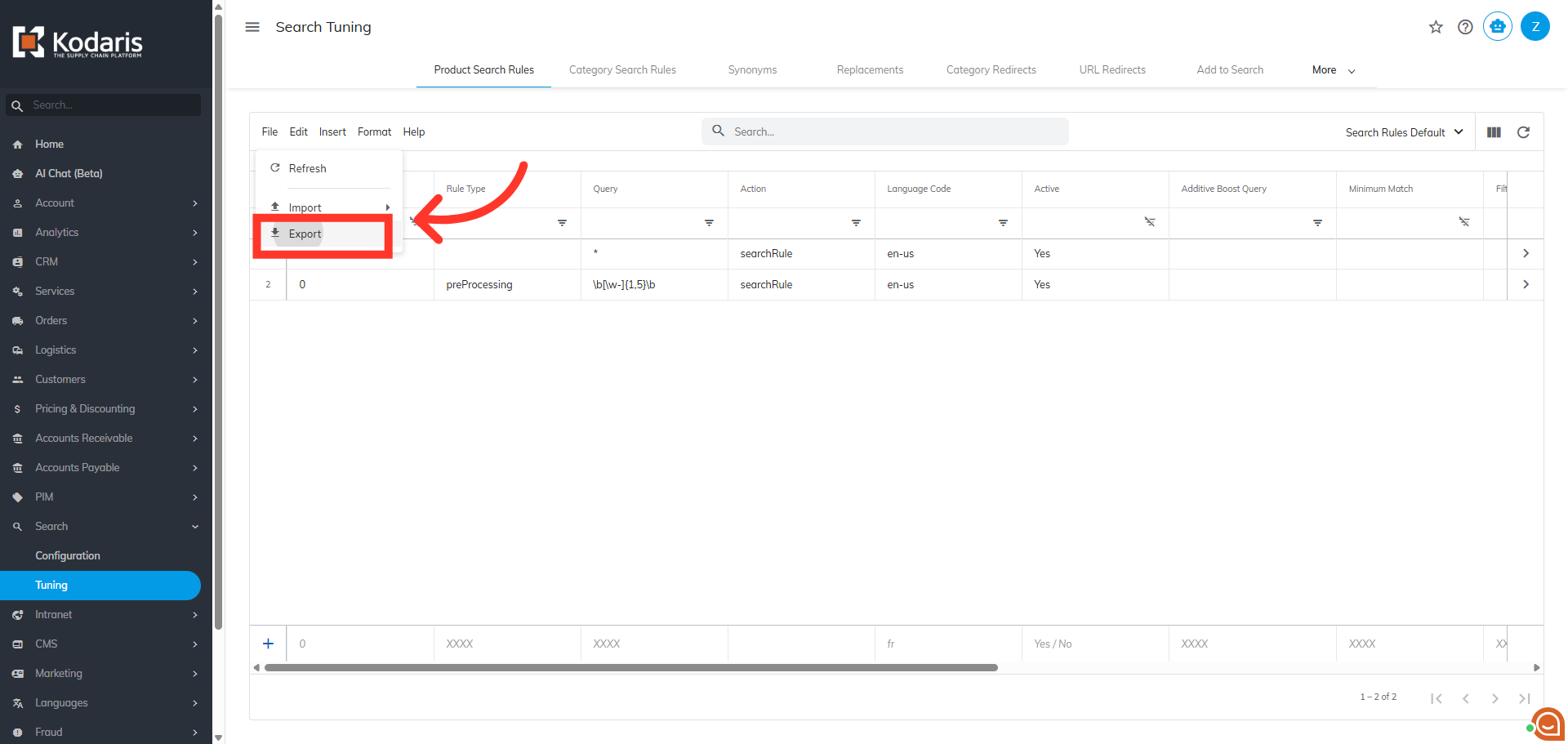
Next, click "File".

Then, click "Export".
You can rename the file or use the default name.

Then, click "Save". The file will be downloaded to your computer.
